
Best GoHighLevel Workflows for Lead Generation in 2026
Lead generation is the foundation of every successful business. However, generating leads is only half the battle—the real challenge is converting those leads into paying customers. This is where GoHighLevel (GHL) becomes a game-changer.
With powerful automation capabilities, GoHighLevel allows businesses to create workflows that capture, nurture, and convert leads automatically. In this guide, we’ll explore the best GoHighLevel workflows for lead generation and how they can help you scale your business efficiently.
Why Use GoHighLevel for Lead Generation?
GoHighLevel combines CRM, marketing automation, email marketing, SMS campaigns, and appointment scheduling into one platform.
Key Benefits:
- Automated lead capture
- Instant follow-up responses
- Multi-channel communication
- Improved lead nurturing
- Higher conversion rates
- Reduced manual workload
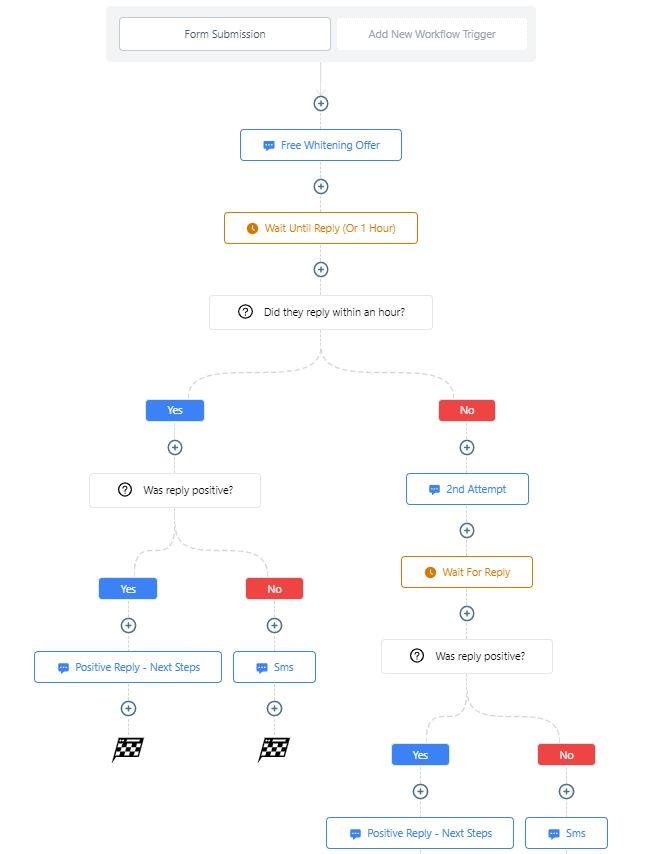
1. Instant Lead Response Workflow
Research consistently shows that responding to leads within the first few minutes dramatically increases conversion rates.
Workflow Process:
Lead Form Submission
↓
Send Instant SMS
↓
Send Welcome Email
↓
Assign Sales Representative
↓
Create Follow-Up Task
Example SMS:
Hi {{contact.first_name}}, thanks for reaching out! A team member will contact you shortly. Reply YES if you’d like immediate assistance.
Benefits:
- Faster response times
- Better customer experience
- Increased lead engagement
2. Missed Call Text Back Workflow
Many businesses lose potential customers simply because they miss phone calls.
Workflow Process:
Missed Call
↓
Automatic SMS Sent
↓
Lead Replies
↓
Sales Team Notified
Example Message:
Sorry we missed your call! How can we help you today? Reply to this message and our team will get back to you shortly.
Benefits:
- Recover missed opportunities
- Improve customer satisfaction
- Capture more leads

3. Facebook Lead Form Workflow
Facebook Lead Ads are one of the most effective ways to generate leads.
Workflow Process:
Facebook Lead Ad
↓
Lead Sent to GoHighLevel
↓
SMS + Email Trigger
↓
Pipeline Opportunity Created
↓
Appointment Booking Request
Benefits:
- Immediate follow-up
- Automated lead organization
- Higher appointment booking rates
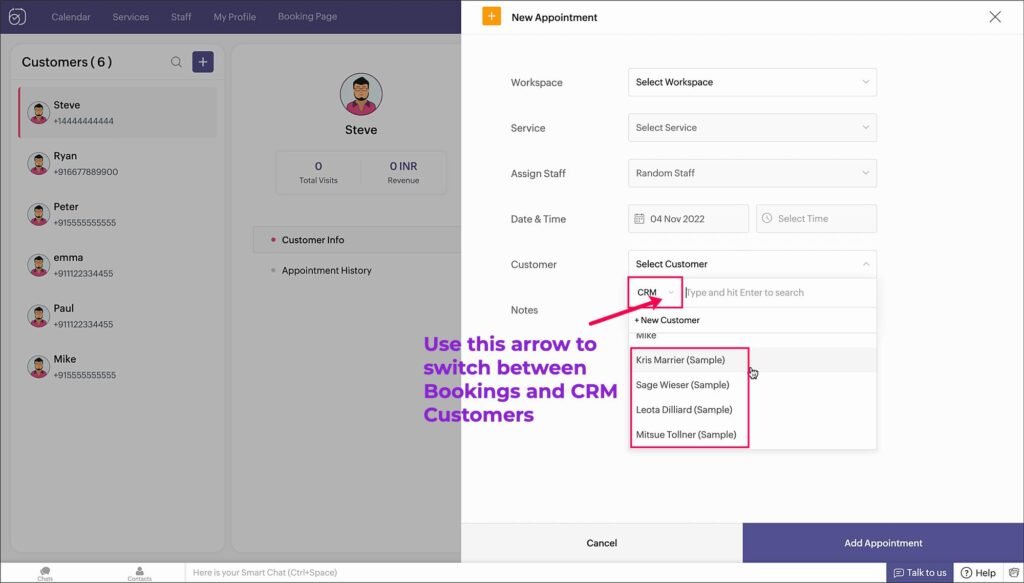
4. Appointment Booking Workflow
One of the most powerful lead generation workflows is appointment automation.
Workflow Process:
Lead Enters Pipeline
↓
Appointment Link Sent
↓
Booking Confirmation
↓
Reminder Sequence
↓
Appointment Completed
Reminder Sequence:
- 24-hour reminder
- 2-hour reminder
- 15-minute reminder
Benefits:
- Reduced no-shows
- More booked meetings
- Better sales efficiency
5. Long-Term Lead Nurturing Workflow
Not every lead is ready to buy immediately.
A lead nurturing workflow keeps prospects engaged until they’re ready to make a decision.
Workflow Process:
Week 1 → Educational Email
Week 2 → Success Story
Week 3 → Helpful Resource
Week 4 → Special Offer
Month 2 → Follow-Up Campaign
Benefits:
- Stay top-of-mind
- Build trust
- Increase future conversions
6. AI-Powered Lead Qualification Workflow
Modern businesses are increasingly using AI to qualify leads automatically.
Workflow Process:
Lead Captured
↓
AI Conversation Starts
↓
Collect Budget
↓
Collect Timeline
↓
Collect Requirements
↓
Book Appointment
Benefits:
- Save staff time
- Faster qualification
- Better lead quality
7. Re-Engagement Workflow for Cold Leads
Many businesses have hundreds of leads sitting unused in their CRM.
A re-engagement workflow can bring those leads back into your sales process.
Example SMS:
Hi {{contact.first_name}}, are you still interested in learning more about our services? Reply YES and we’ll send you updated information.
Benefits:
- Revive old leads
- Increase ROI
- Generate additional opportunities
Best Practices for GoHighLevel Lead Generation Workflows
Keep Response Times Fast
The faster you respond, the higher your conversion rates.
Use Multiple Communication Channels
Combine:
- SMS
- Calls
- Voicemail Drops
Personalize Messages
Use custom fields such as:
- First Name
- Company Name
- Location
Track Workflow Performance
Monitor:
- Open rates
- Click rates
- Reply rates
- Appointment bookings